EKG Trainer / Educational beta

Practice the signal. Explore the system.

Explore ECG placement, rhythm Library examples with interactive heart views, guided lessons, and hands-on labs in the separate browser app.

The browser app opens in its own tab. These portfolio images include earlier captures; current placement views appear below.

Educational beta projectECG training casesInteractive learning

October 2026 beta app captures

Try the placement and signal workflow.

The browser edition now includes five patient views, clearer electrode-placement guidance, mobile-friendly lead controls, lead-off states, and lead-specific synthetic ECG responses. Open the separate app to explore the interactive workflow.

What changed

Make each lead count.

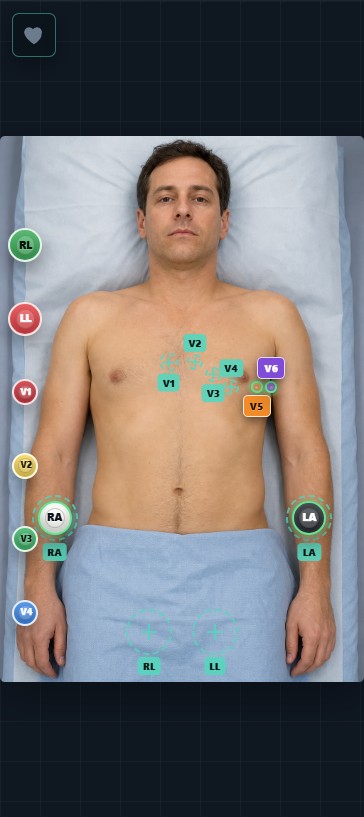
Place the arm and chest electrodes, then observe how the selected synthetic lead view responds. A disconnected chest electrode is shown as unavailable; moving a chest electrode changes its lead view without changing Lead II.

  • V6 and arm placement targets are easier to see across five patient views.
  • V5 and V6 have separate click and drag controls on smaller screens.
  • Practice with authored rhythm examples and guided visual feedback.
Launch browser app
EKG Trainer mobile placement view showing separate V5 and V6 controls on an adult patient illustration
Current beta app capture · mobile placement view

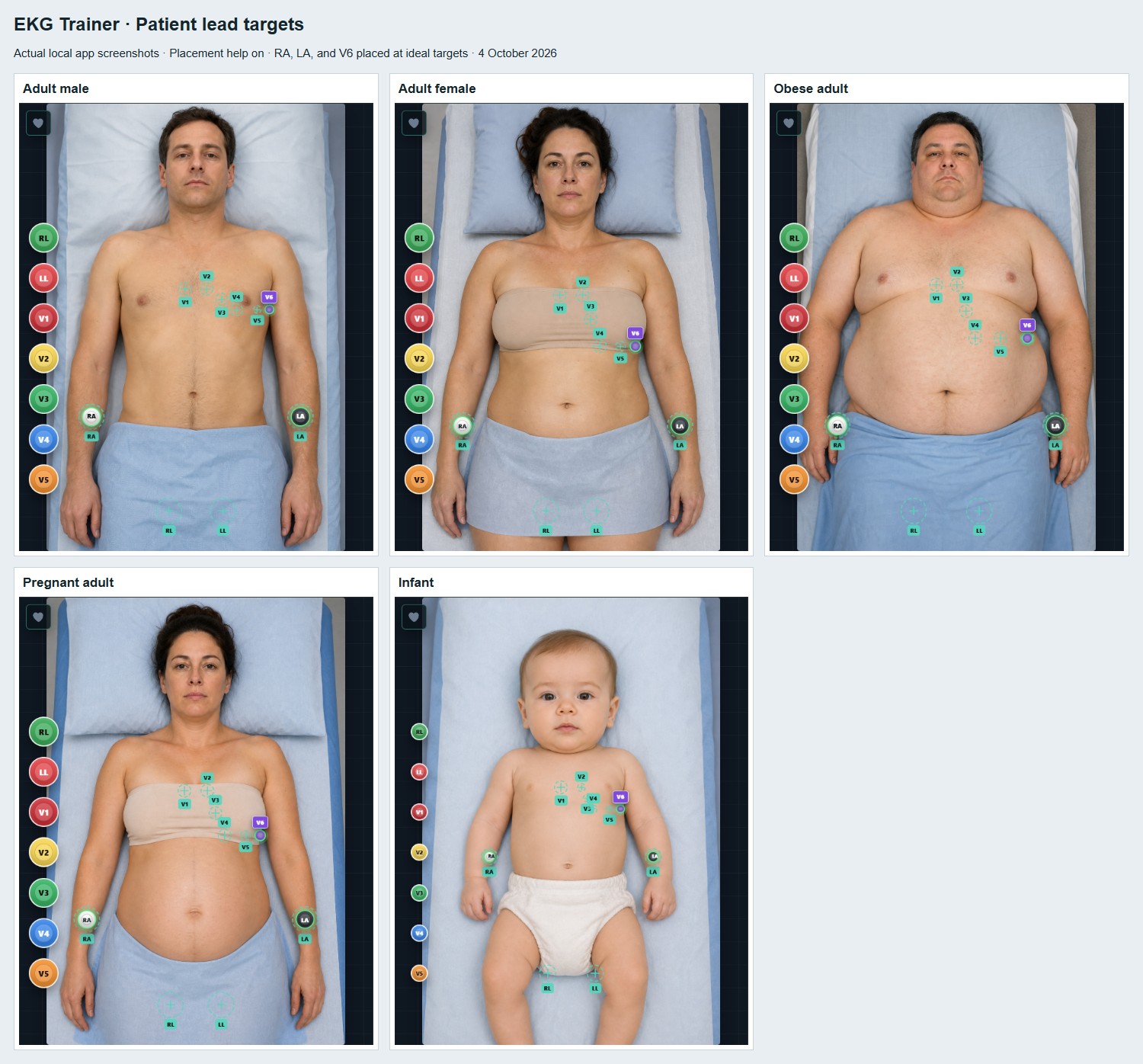
See all five patient views
EKG Trainer beta screenshots of placement-help targets across five illustrated patient views
October 2026 beta app captures · highlighted targets are in-app teaching guides, with placement imagery still under clinical review.
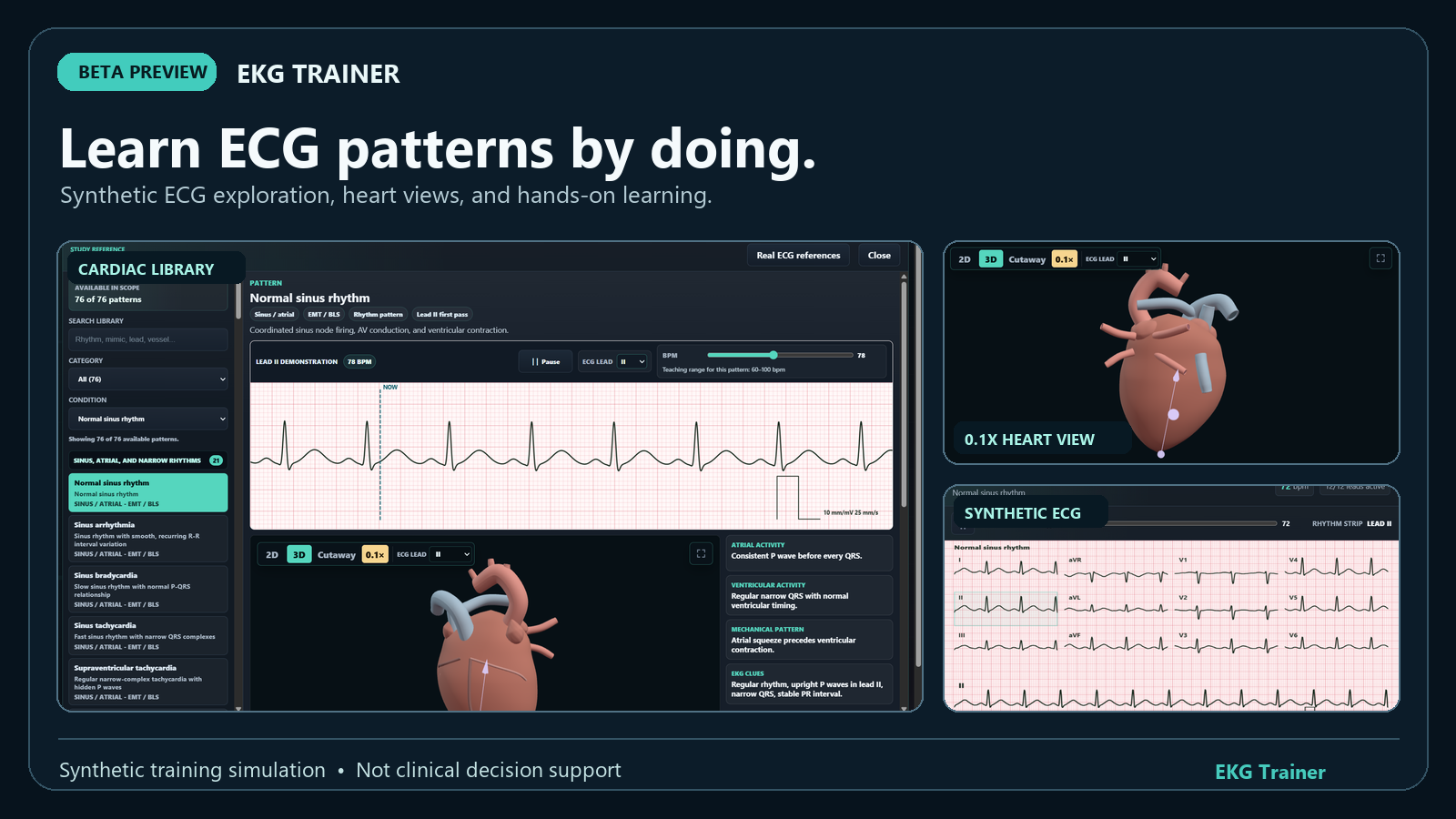
Edited composition of EKG Trainer app screens: a normal-rhythm Library view, slow-motion heart view, and synthetic twelve-lead readout
September 2026 app captures

Learn ECG patterns by doing.

An edited composition of earlier EKG Trainer captures, showing synthetic ECG exploration and heart teaching views. These images predate the current beta work.

View composition at full size

Earlier app capture

One modeled rhythm. Two ways to inspect it.

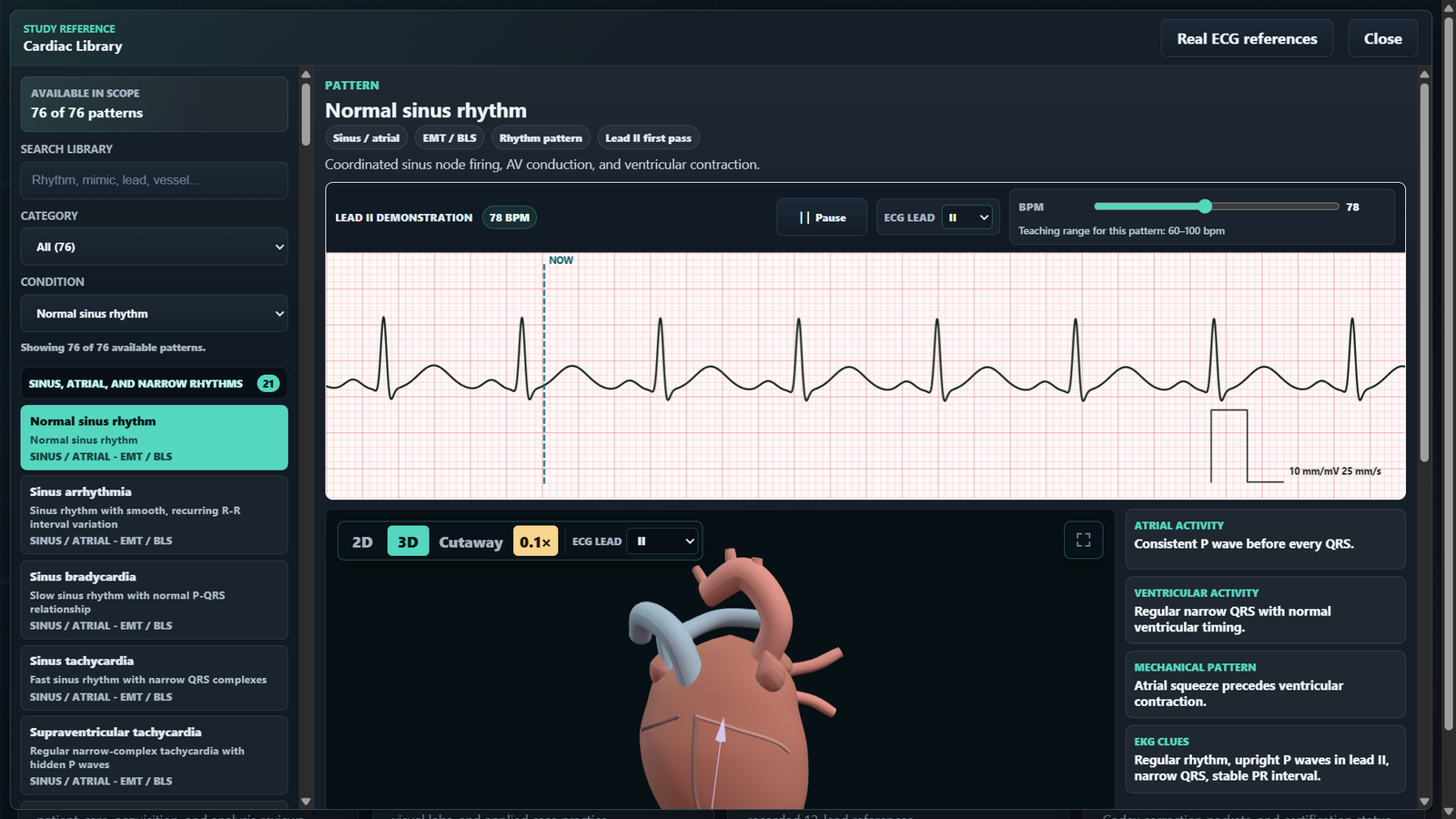
In this earlier normal-rhythm example at 78 BPM, learners can slow visual heart playback to 0.1× while the selected rhythm rate stays the same. These are captures of that app state, not an interactive control on this page or evidence of the current beta checkpoint.

EKG Trainer Cardiac Library with synthetic normal rhythm selected at 78 BPM and the heart playback set to 0.1 times speed
Selected 78 BPM · 0.1× visual playback
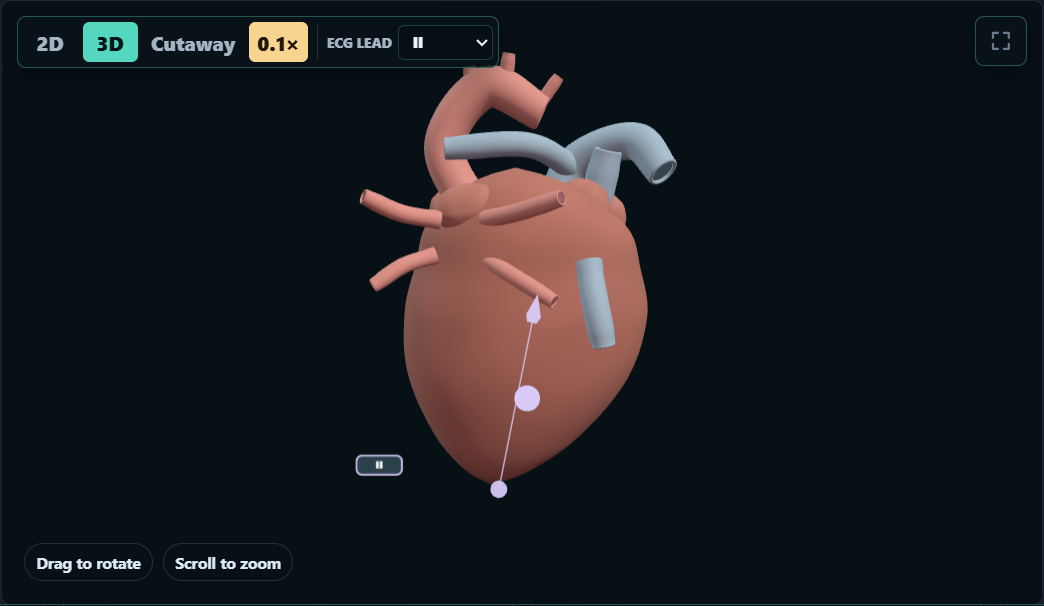
Three-dimensional heart teaching view with the 0.1 times playback control selected
A closer view of the visual playback control

Earlier interface captures

Four views of an earlier interface.

See how the Library, heart playback, and synthetic Skills readout were presented in an earlier app build. Select any image for a closer look.

01 / Cardiac Library

Start with a synthetic pattern.

The Library brings together a searchable pattern list, study notes, an idealized strip, and a heart teaching view.

Look for: the selected normal-rhythm example, generated waveform, and visual context.
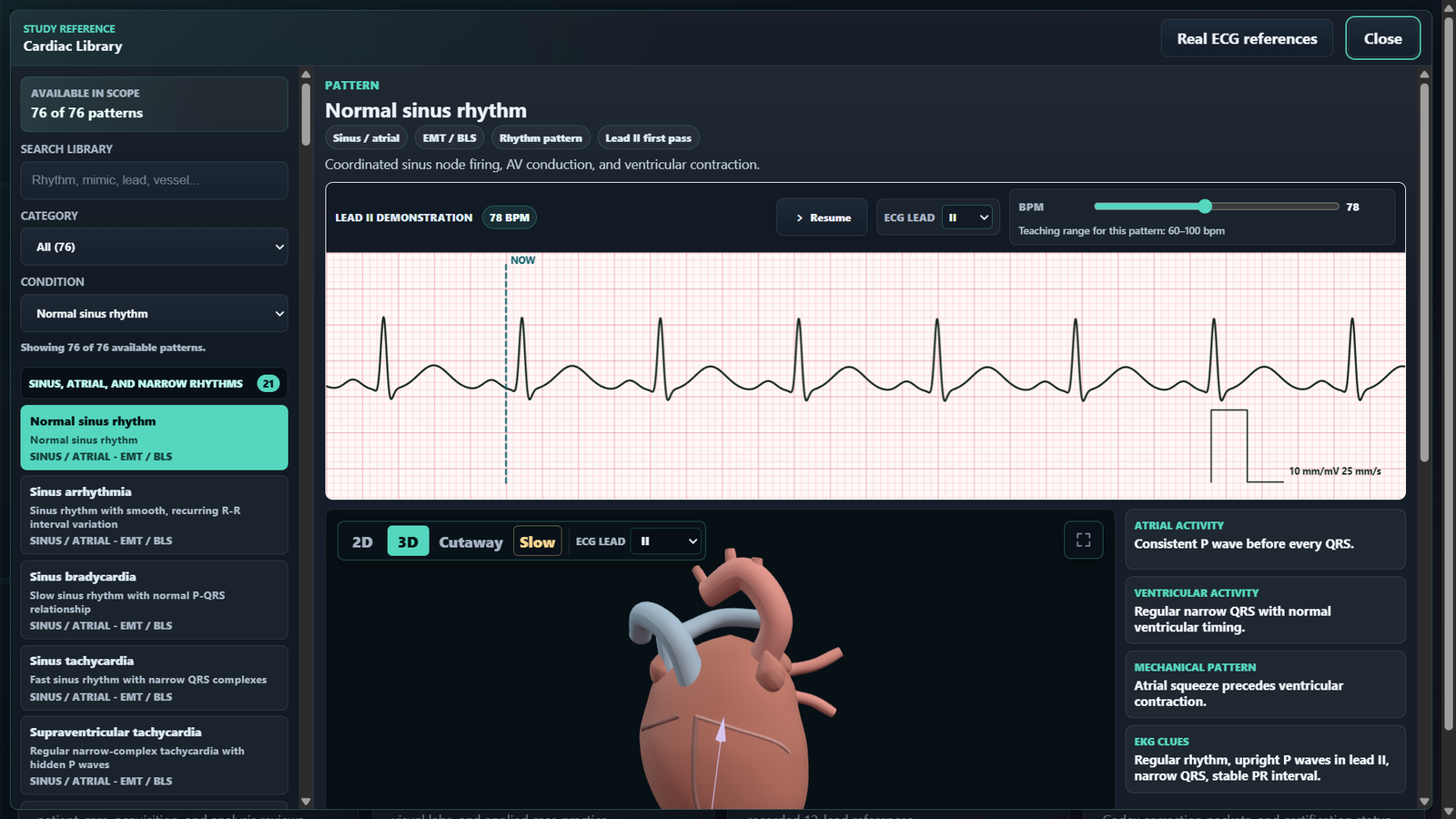
Cardiac Library showing a selected synthetic normal-rhythm example, ECG strip, and heart view
Earlier app capture · normal-rhythm Library
02 / Heart teaching view

Slow the visual sequence to study it.

The selected 0.1× control changes visual playback speed, giving learners time to inspect the simplified heart view.

Look for: the active slow-motion control and the three-dimensional teaching view.

Three-dimensional heart teaching view with 0.1 times playback selected
Earlier app capture · slowed visual playback
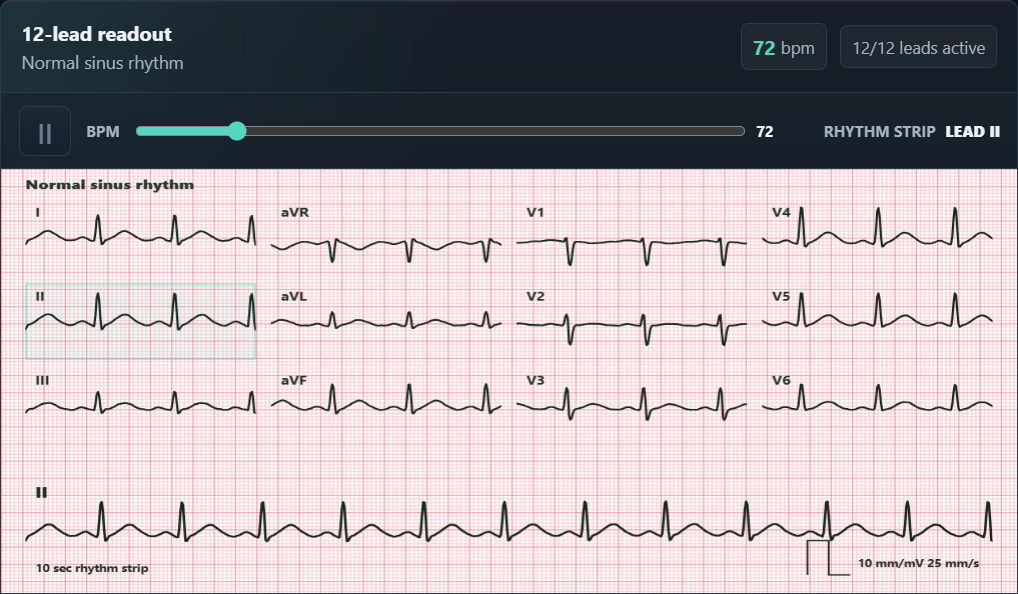
03 / Skills readout

See twelve synthetic lead traces together.

The Skills workspace presents a twelve-lead readout and a longer rhythm strip from a generated training example.

Look for: active simulated leads, the rate control, and the training waveforms.

EKG Trainer Skills readout with twelve active synthetic leads and a rhythm strip
Earlier app capture · synthetic Skills readout
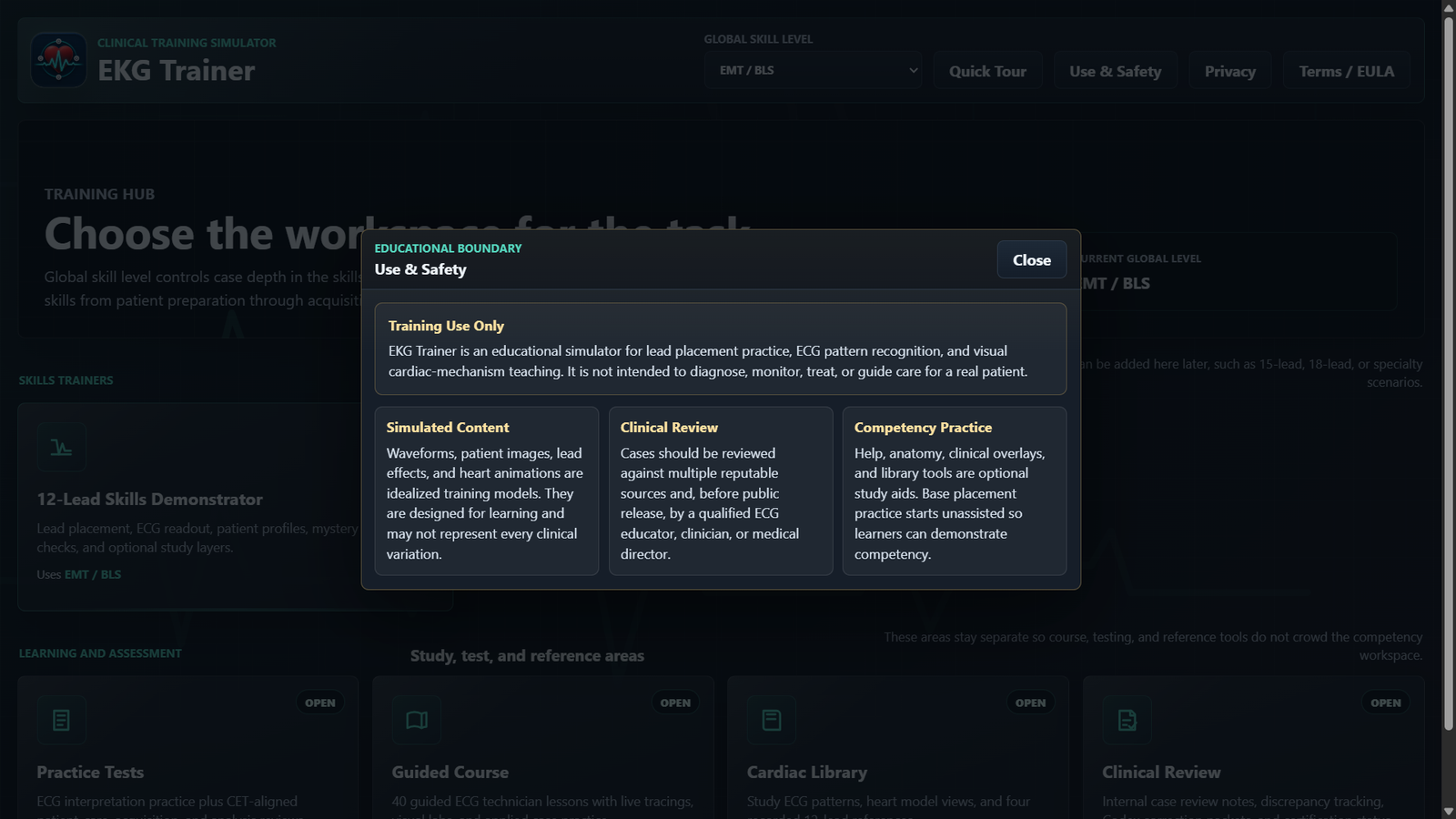
04 / Use & Safety

Built for learning.

EKG Trainer combines authored examples with selected recorded educational excerpts. It is not intended for real-patient diagnosis, monitoring, or treatment.

EKG Trainer Use and Safety screen stating the education-only purpose and clinical-use limits
Earlier app capture · intended use

Project case study

How the learning experience comes together.

These earlier EKG Trainer captures show how signal exploration and visual teaching are presented together.
The training problem

Connect several kinds of practice.

The project brings lead-placement practice, authored and recorded rhythm examples, guided lessons, hands-on labs, answer feedback, and simplified anatomy views into one learning environment.

Design choices visible

Give learners multiple routes into a case.

These earlier app screens show a searchable Library, synthetic strip and rate controls, slowed heart playback, and a twelve-lead readout. The current browser app adds guided lessons and placement practice workflows.

Evidence in this page

Show the actual interface.

The current placement captures above accompany earlier stills of the normal-rhythm Library, slow-motion heart view, Skills readout, and intended-use notice.
Intended use

Built for learning.

This is educational training content, not a calibrated monitor or clinical decision tool. The captured workflows do not establish clinical accuracy or learner outcomes.

Third-party notices

Beta development update

The current browser edition brings clearer electrode targets and lead-specific feedback to the placement and Skills workflows. Authored synthetic ECG events also connect with simplified heart-motion timing cues. Clinical content and multi-angle model review remain in progress.

Custom work

Have a training or interactive-system challenge?

We can discuss the workflow, constraints, and kind of prototype or software that would make it easier to learn or use.

Discuss a custom project