
Observe the hive. Respect the colony.
ColonyShield is a browser-based hive record and outlook app. Keep yard, hive, inspection, mite-sample, weight, and service records together, then review a cautious next-14-days action outlook based on what you entered. The app opens on its own page, separate from this project story.
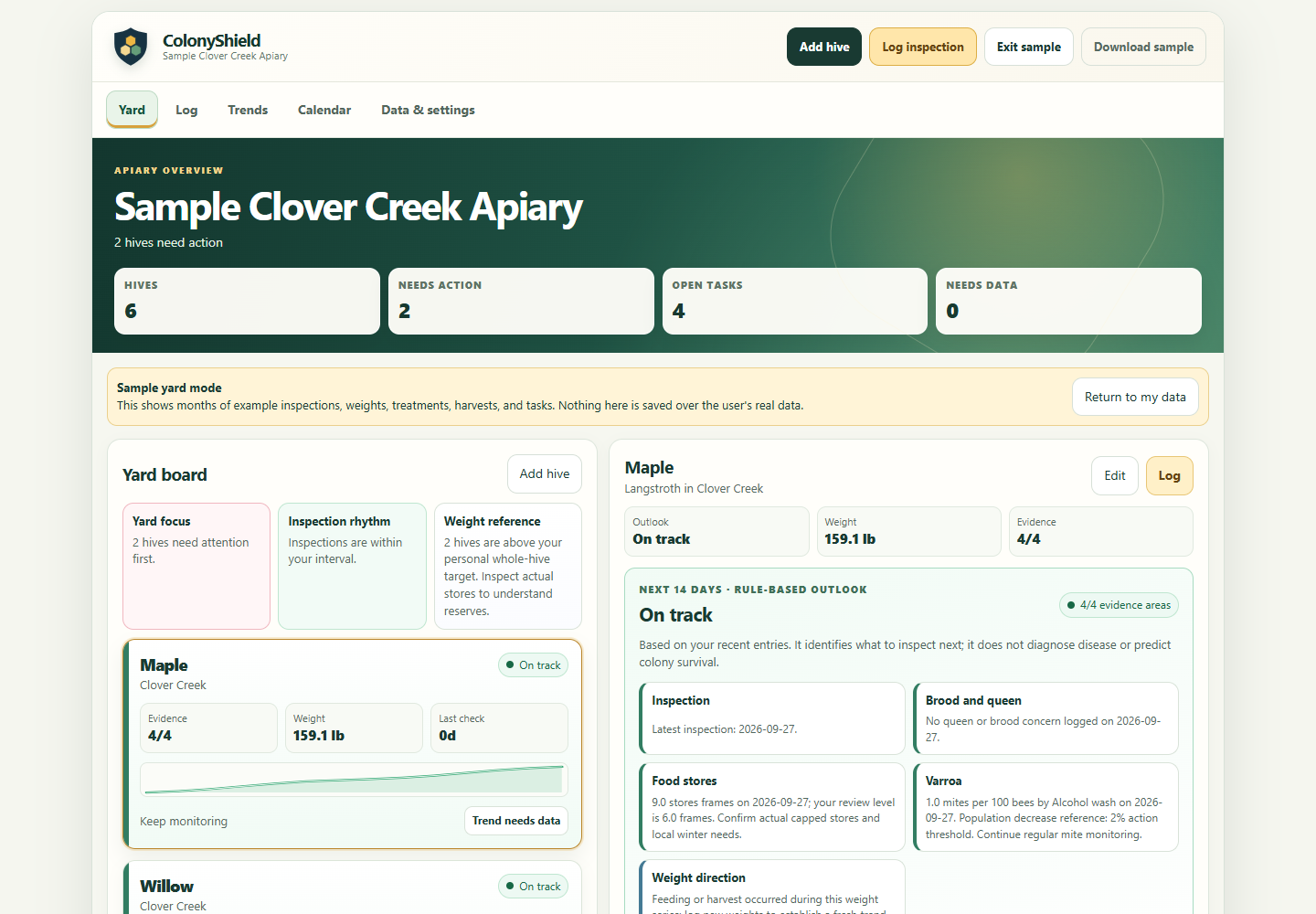
From the yard view to a next action.
This is the current browser interface in generated sample-yard mode. Open the app to explore the other workspaces.
A closer look at the record-to-review workflow.
Explore the working app’s record-to-review flow, shown with generated sample records.
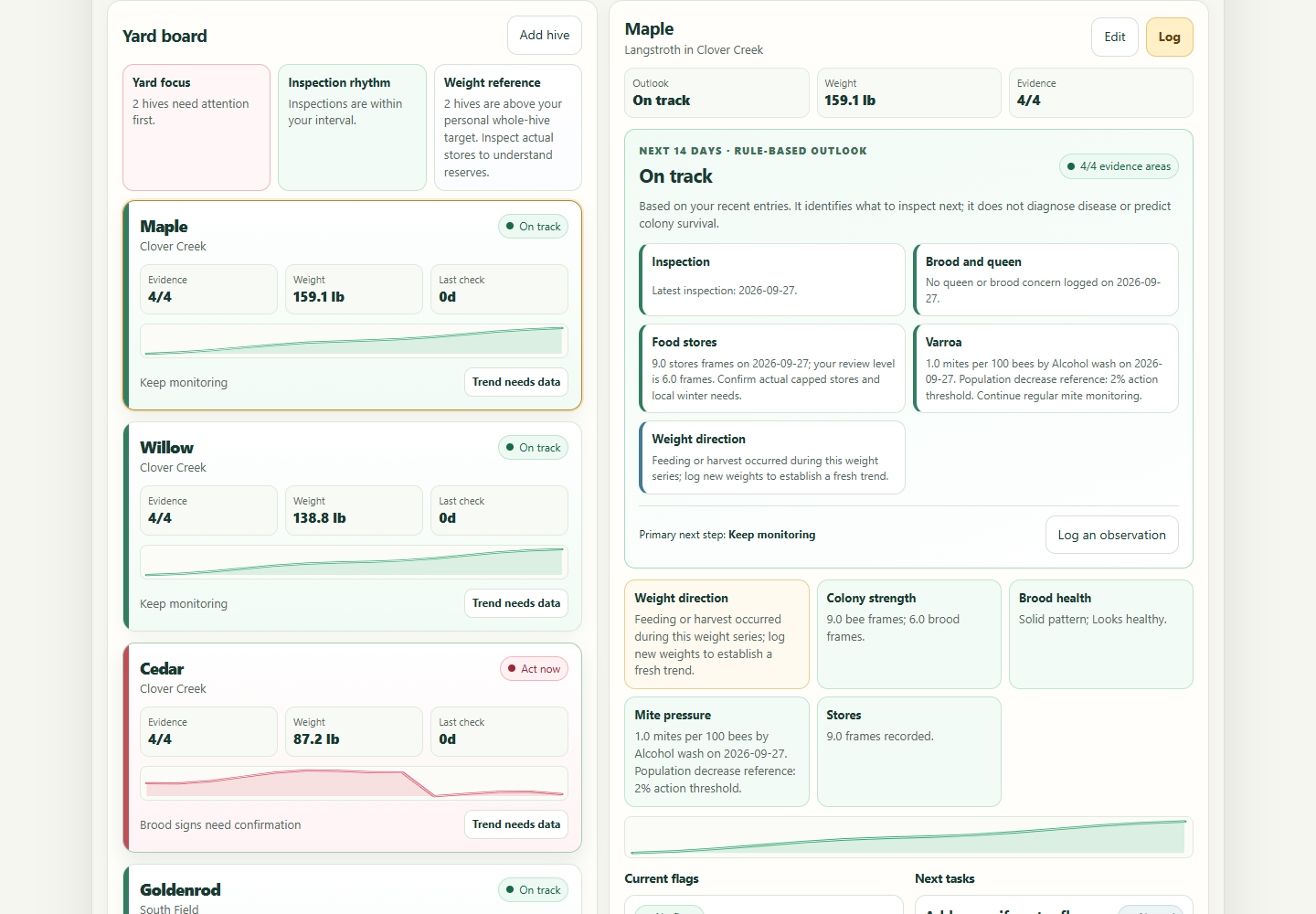
See the evidence behind a prompt.
A selected hive places recorded observations next to its evidence-limited outlook, so the next inspection remains a human decision.
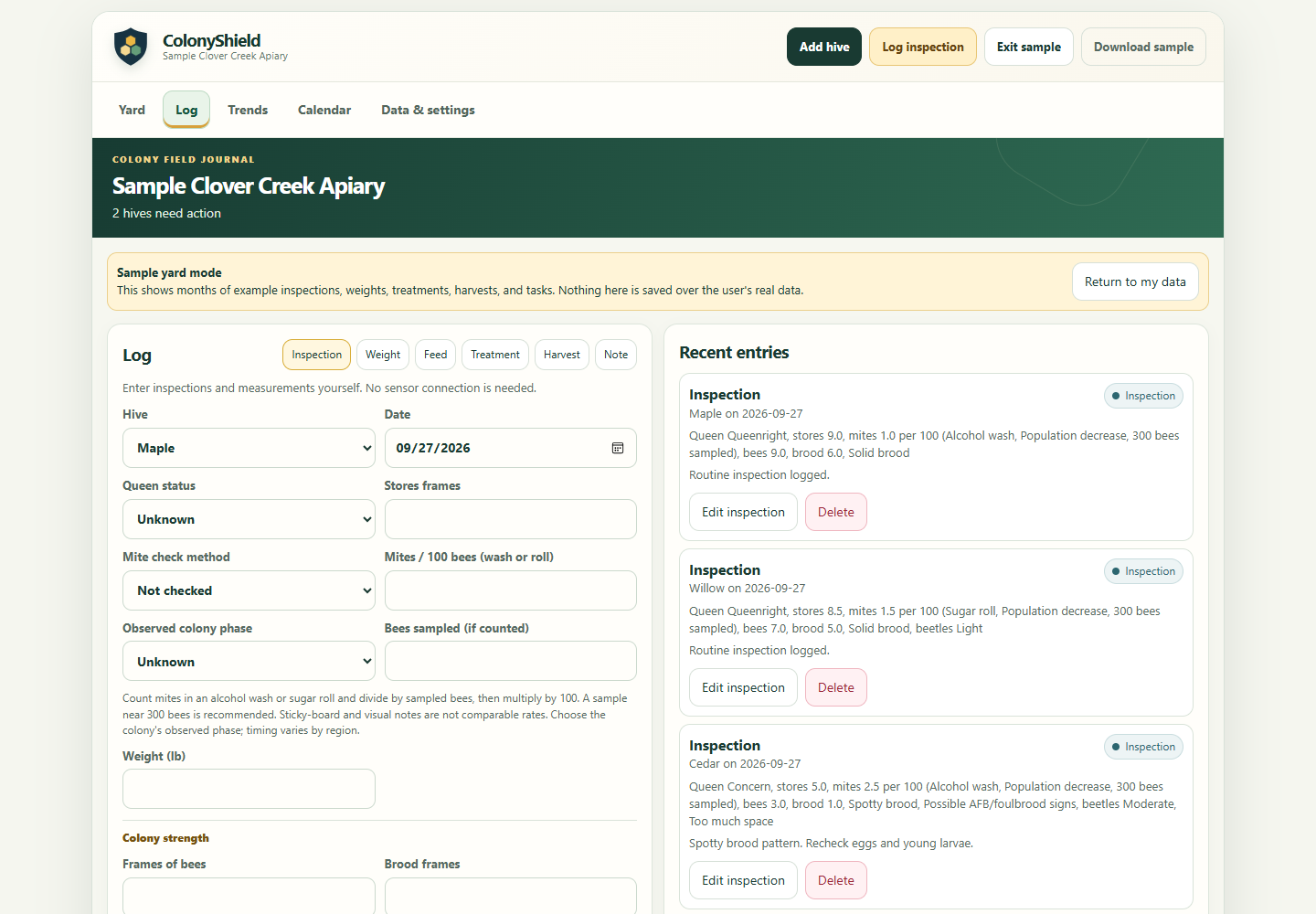
Enter what happened in the yard.
Inspection, mite-sample, weight, feeding, treatment, and other entries are recorded by the beekeeper—not read from sensors.
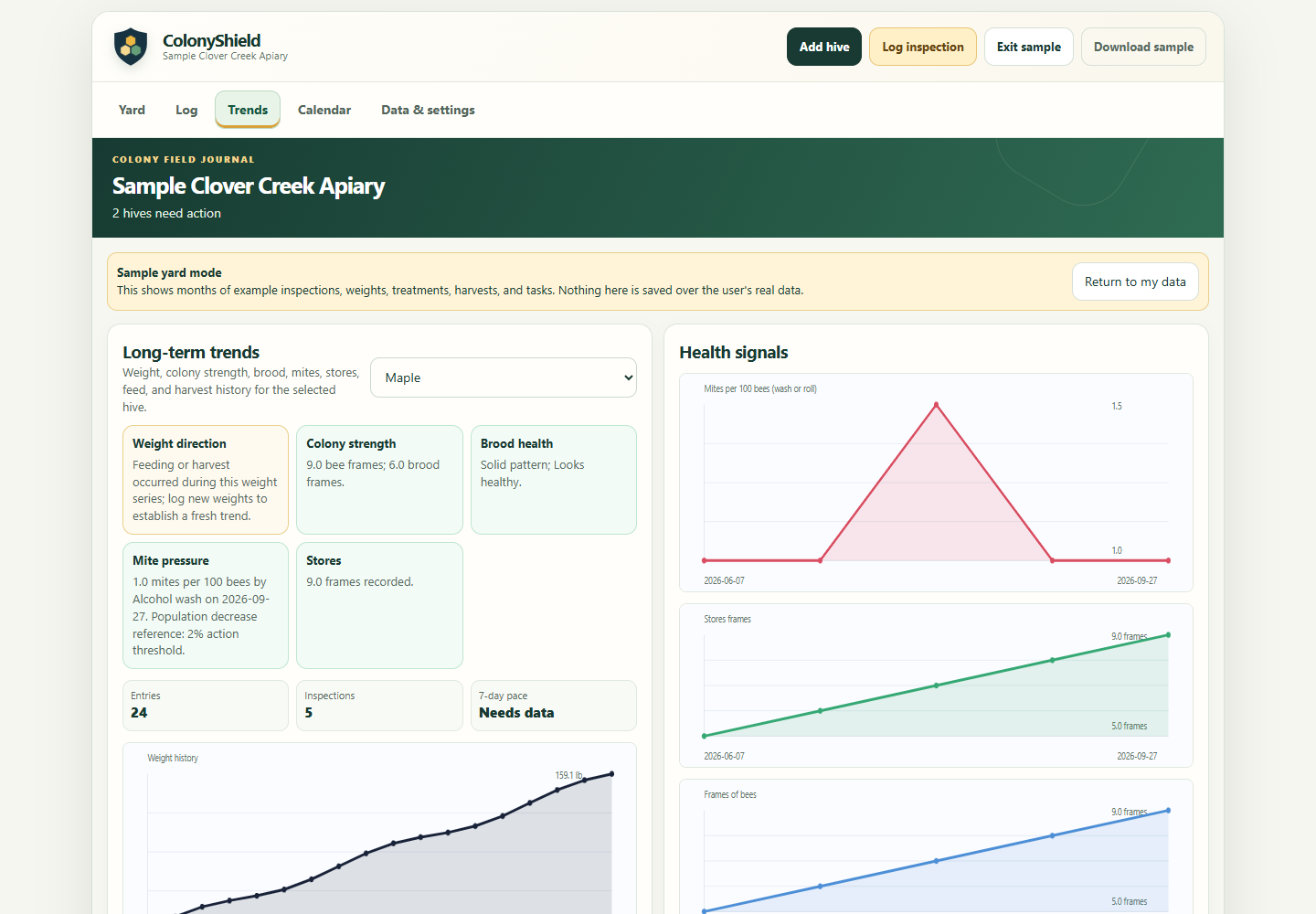
Look back across dated entries.
Trends organize the manually entered history and show when another observation is needed.
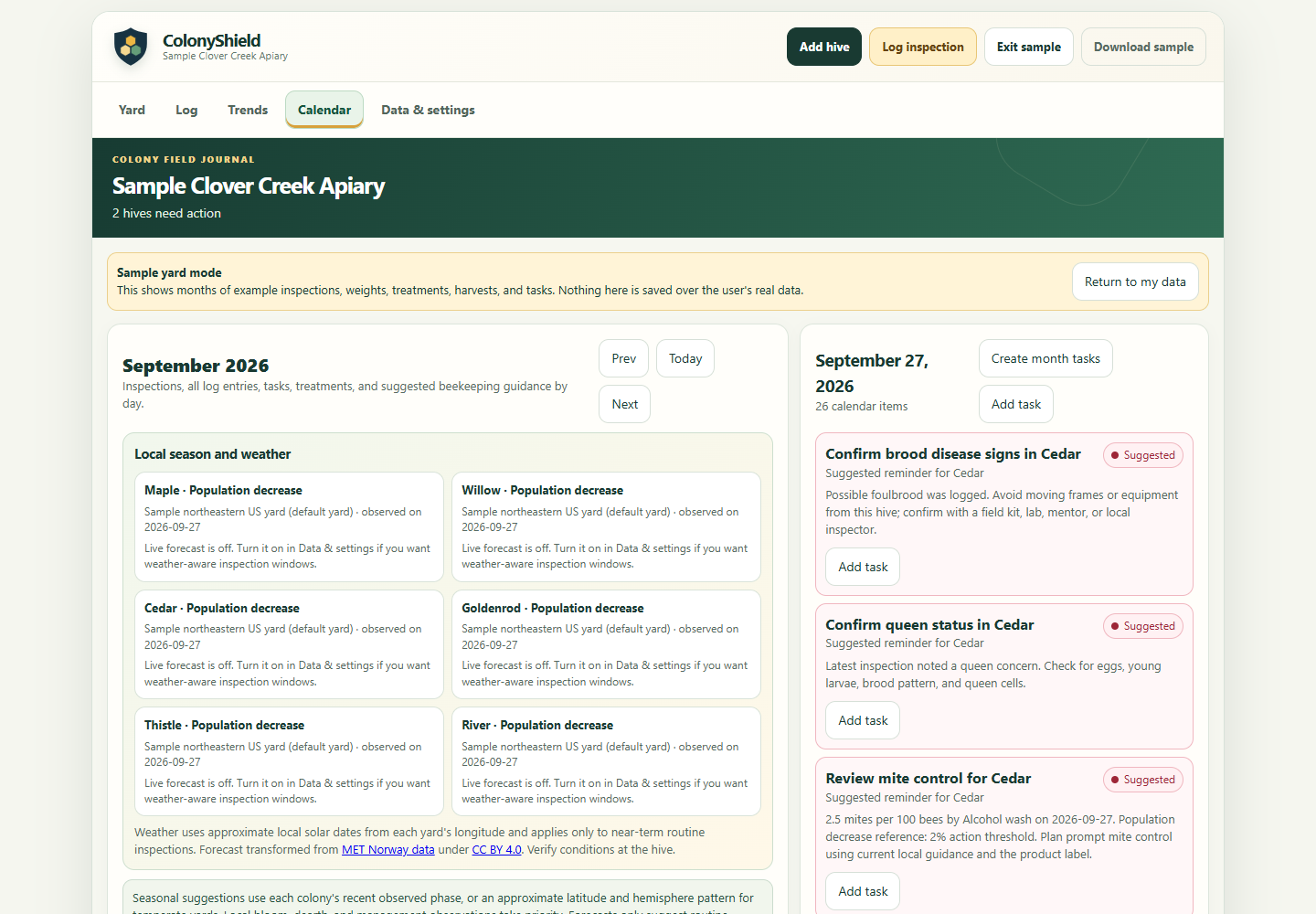
Keep records distinct from suggestions.
Calendar brings dated work and separate seasonal guidance into view. The optional live forecast is off in this capture.
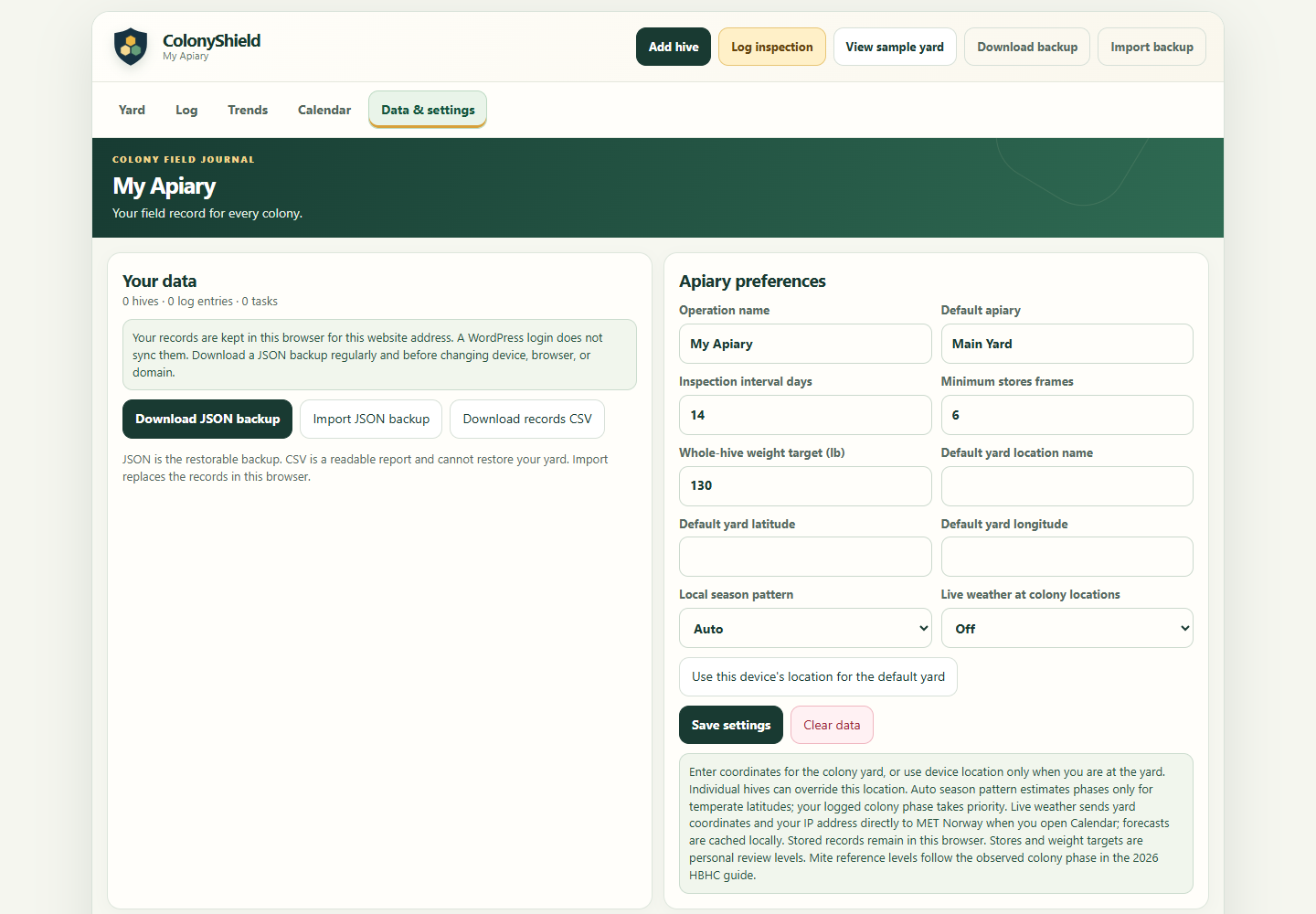
Keep a restorable copy.
Records stay in this browser on this website address. JSON export and import support a user-controlled backup; CSV is a report, not a restore file.
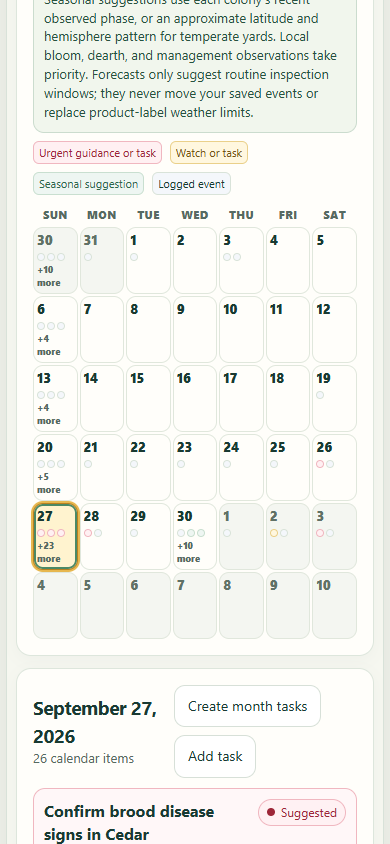
Responsive layout.
The sample calendar remains browsable on a narrow screen.
Follow a sample yard through the workspaces.
Follow a generated sample yard through hive detail, Log, Trends, Calendar, and local data controls.
Read the visual transcript
- A fresh test browser opens with no hive records.
- The generated sample yard is selected; example data remains separate from personal records.
- The Maple example hive shows its evidence-limited outlook.
- Log shows manual inspection fields and sample entries.
- Trends plots dated example entries rather than sensor data.
- Calendar shows saved examples beside seasonal suggestions; weather is off.
- Data & settings appears in sample mode.
- The walkthrough returns to the empty browser’s JSON backup and import controls.
A practical record-to-review workflow.
The standalone app lets a beekeeper enter and revisit hive observations, inspections, mite samples, weights, and service events. Its yard view, seasonal calendar, and next-14-days outlook turn those manual records into review prompts while keeping missing evidence visible. Optional live weather can help identify possible routine inspection windows.
Records stay in your browser on this site’s address and do not sync across devices. Export a JSON backup before switching browsers, devices, or site addresses. Optional live weather sends rounded saved-yard coordinates and your IP address to MET Norway when enabled and Calendar is opened.
From observations to a next look.
Build the yard record
Add hives and enter dated observations to build a useful history.
Inspect the evidence
Review inspections, queen and brood notes, stores, mite samples, weight history, and service events in context.
Review outlook and calendar
See next-14-days action priorities and phase-aware calendar suggestions, with optional weather context for routine planning.
Keep control of data
Use the app without a login and make a JSON backup before moving to another browser or site address.
The outlook uses entered records to guide the next inspection; it is not a disease diagnosis or safety guarantee.