Home Advisor / Guided browser demo

See the decision change.

Try two fixed sample conditions: a favorable evening and a high-ragweed day. Follow how the recommendation changes.

Two sample scenariosHealth-first checksExplained guidance
Current media-pack design states

More than one kind of caution.

Four host-rendered design examples show distinct states, from health-first advice to unavailable data.

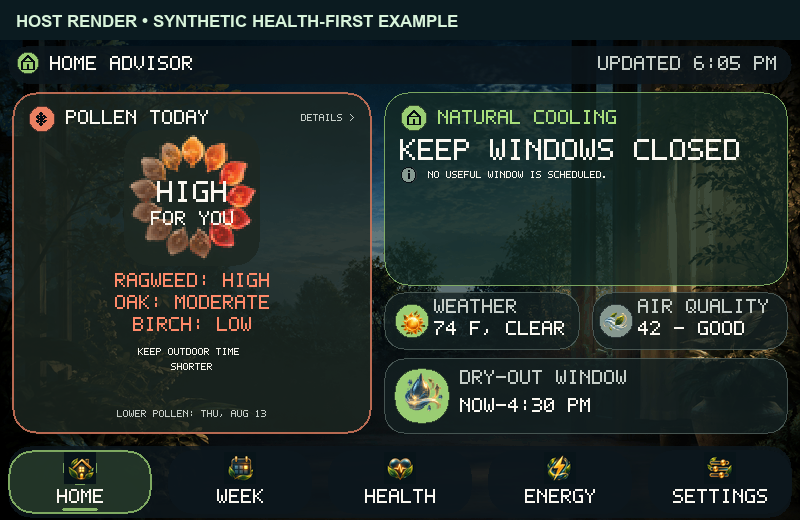
Home Advisor sample Home screen with high ragweed and a Keep Windows Closed recommendation
Health first. High selected ragweed keeps windows closed despite pleasant sample weather.
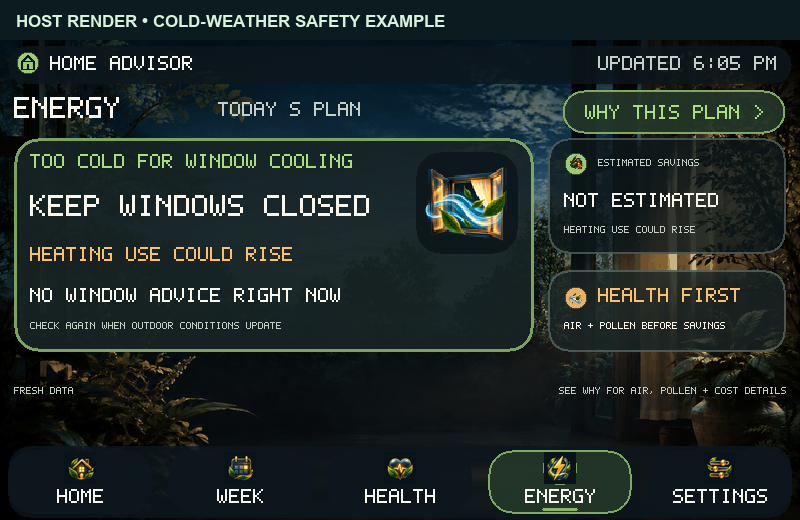
Energy sample screen saying it is too cold for window cooling and heating use could rise
Cold-air guard. A separate cold-weather fixture withholds both cooling advice and a savings estimate.
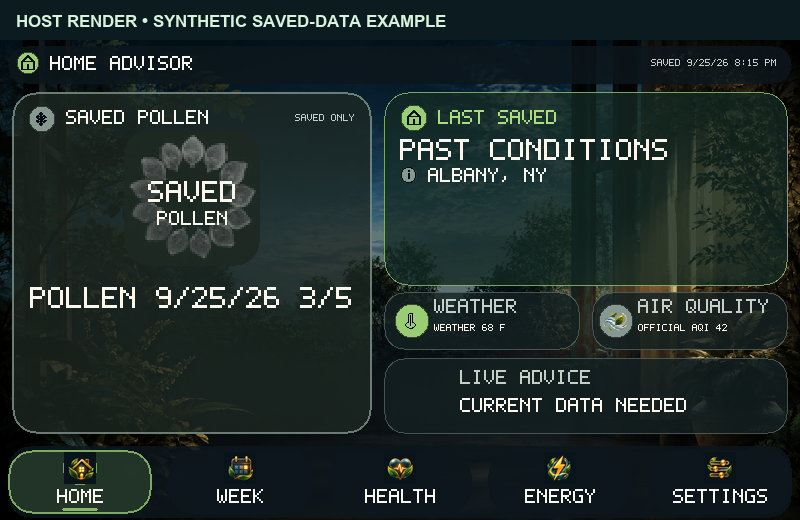
Home sample screen labeled Last Saved and Past Conditions, showing a past synthetic home snapshot with live advice paused
Last saved, not current. A synthetic past home snapshot pauses live advice; physical travel behavior is unverified.
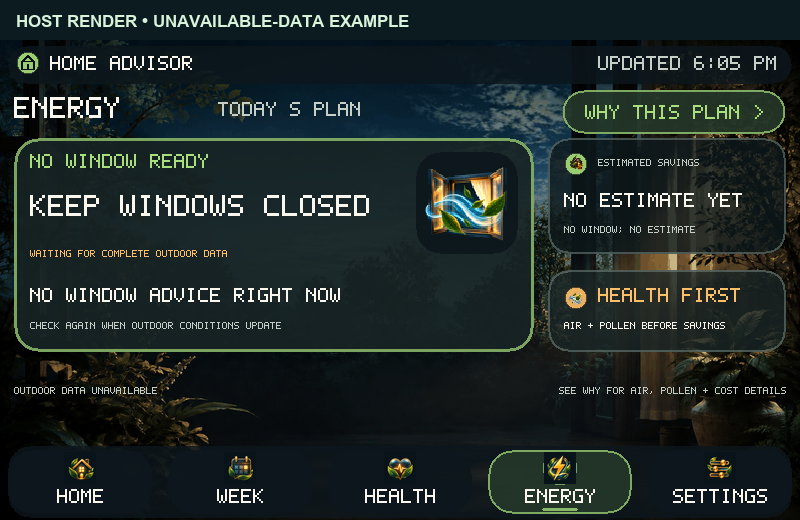
Energy sample screen saying outdoor data is unavailable and no window or savings estimate is ready
Unavailable evidence. An independent fixture offers no positive window guidance or savings estimate.
Earlier illustrative screen journey

Follow the earlier design examples.

Earlier labelled screen samples follow a constructed evening, a high-ragweed variation, and a separate unavailable-data state. Select any image to view it at full size.

Skip to the browser-only interactive model

01 / Favorable evening

Start with the household glance.

Selected pollen is Low, modeled AQI is 42 (Good), and the illustrative cooling window is already active. The approximately 45¢ benefit is based on entered assumptions—not measured savings.
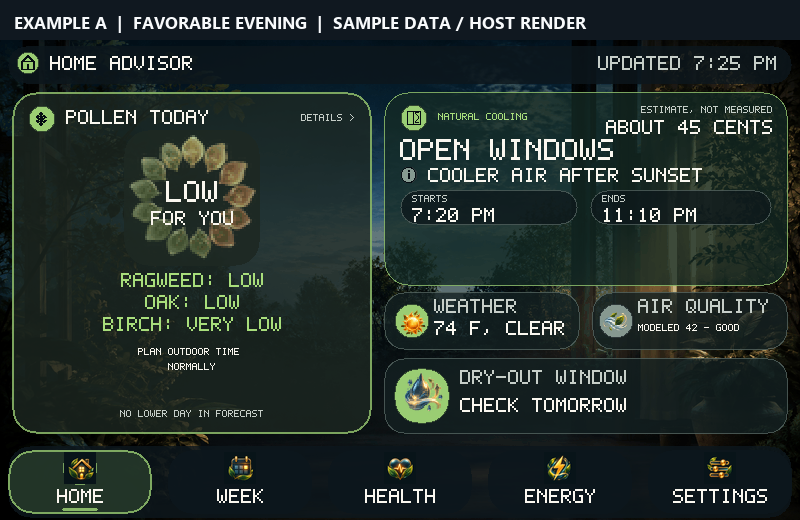

Example A Home: low selected pollen and open windows now until 11:10 PM
Example A Home · sample data / host render.
02 / Health context

Check what the favorable answer depends on.

Health names the selected pollen outlook and the modeled air-quality reading. Only three of four selected pollen types are covered; the missing type is not silently treated as Low. Pollen is a daily forecast, not an hourly decline.
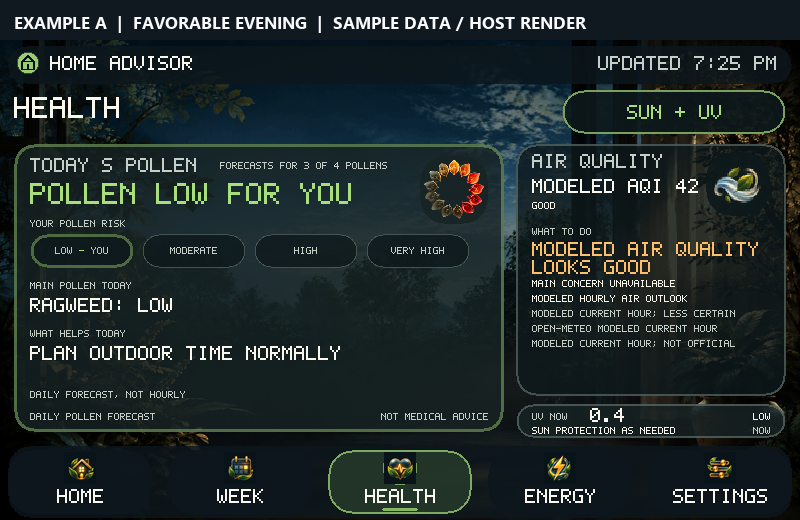
Example A Health: low selected daily pollen, three of four types covered, and modeled AQI 42
Example A Health · environmental guidance, not medical advice.
03 / Reason before benefit

See the plan and why it was offered.

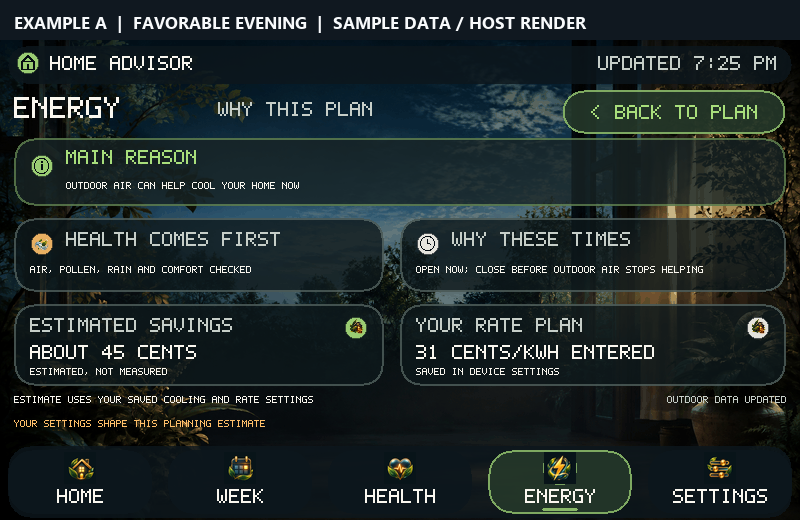
After health and weather checks, Energy recommends an open-window period ending at 11:10 PM. Why This Plan shows the factors and owner-entered rate behind the illustrative 45¢ estimate.
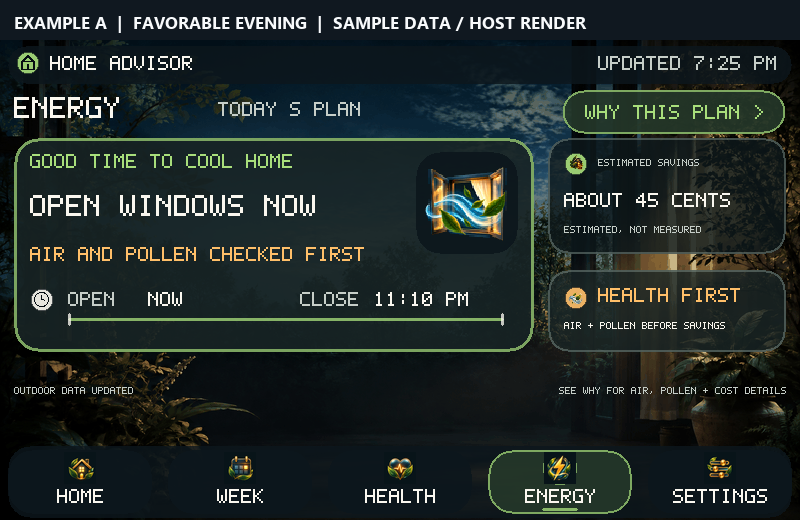
Example A Energy: open windows now with an estimated, not measured, 45-cent benefit
Example A Energy · timed suggestion.
Example A Why This Plan screen explaining health checks, timing, and entered rate assumption
Example A Why This Plan · supporting reasons.
04 / Looking ahead

Plan beyond the current hour.

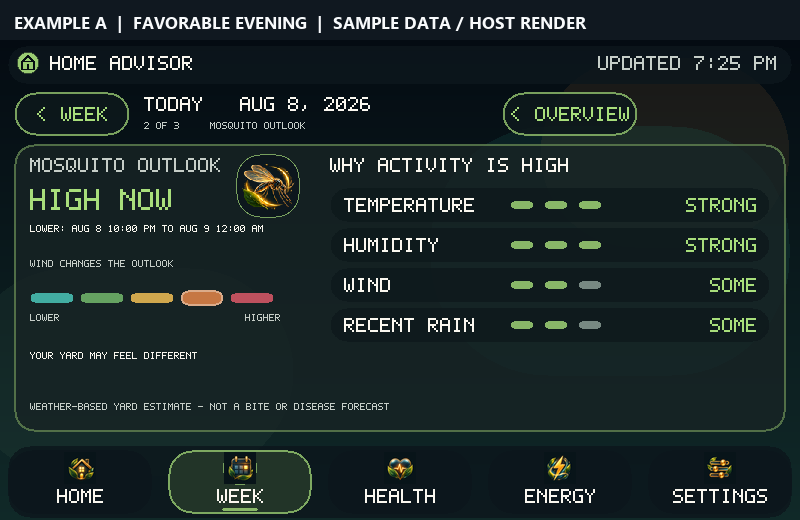
The Week view covers seven days, but selected pollen extends only five. Mosquito activity is a weather-based likelihood, not a detector at the property or a prediction of bites or disease.
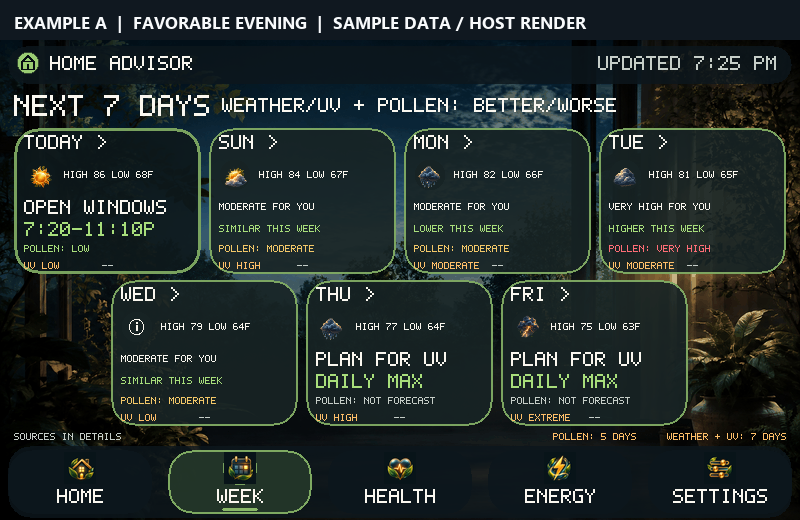
Example A Week: seven-day planner with a shorter five-day pollen horizon
Example A Week · seven-day weather plan, shorter pollen horizon.
Example A Mosquito: high current weather-based likelihood and a lower overnight period
Example A Mosquito · weather-based outlook only.
05 / Related planning inserts

Read the source and timing limits.

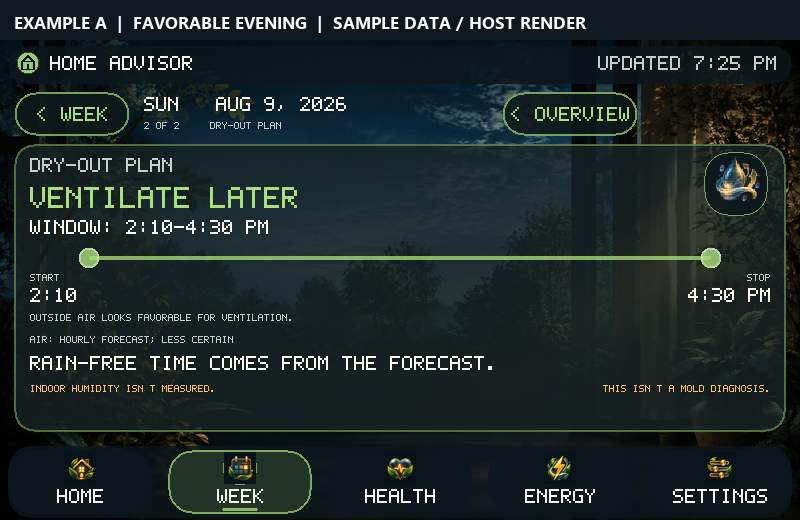
Saturday Air & Window compares a sample optional AQI with a modeled value. The Sunday Dry-out card is a separate outdoor-forecast example.
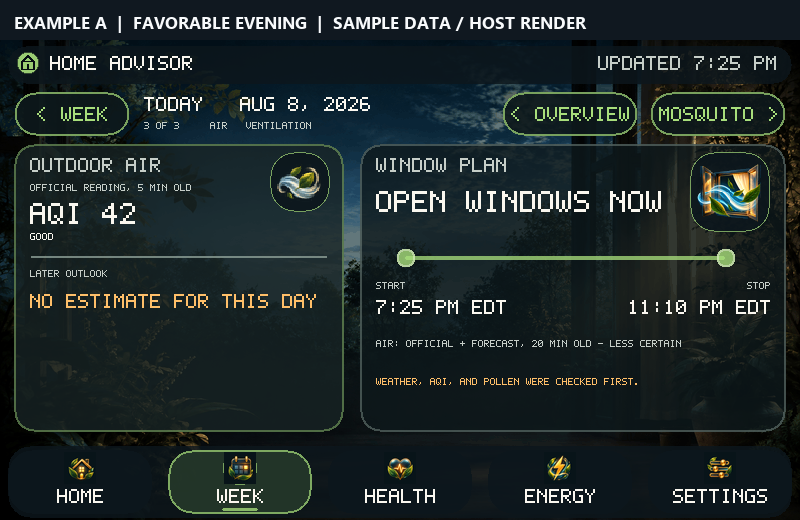
Example A Air and Window: separate optional official and modeled AQI 42 sample values, current window ending at 11:10 PM
Saturday Air & Window · optional official reading is a sample.
Separate Sunday Dry-out example: 2:10 to 4:30 PM forecast outdoor ventilation window
Separate Sunday Dry-out example · no indoor measurement.
06 / Change one constraint

High selected ragweed changes the answer.

The clear 74°F weather, modeled AQI 42, and household rate stay the same. In Example B, selected ragweed is High, so the Home view says Keep Windows Closed. Health makes that daily pollen condition and shorter-outdoor-period guidance visible.
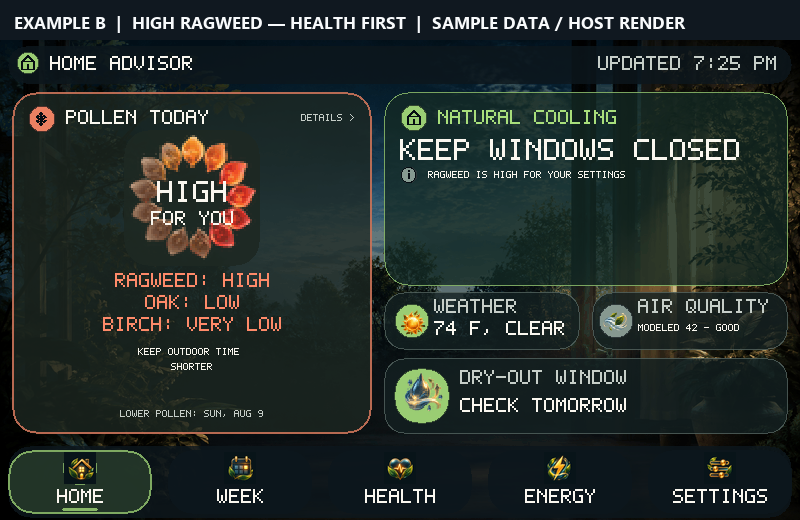
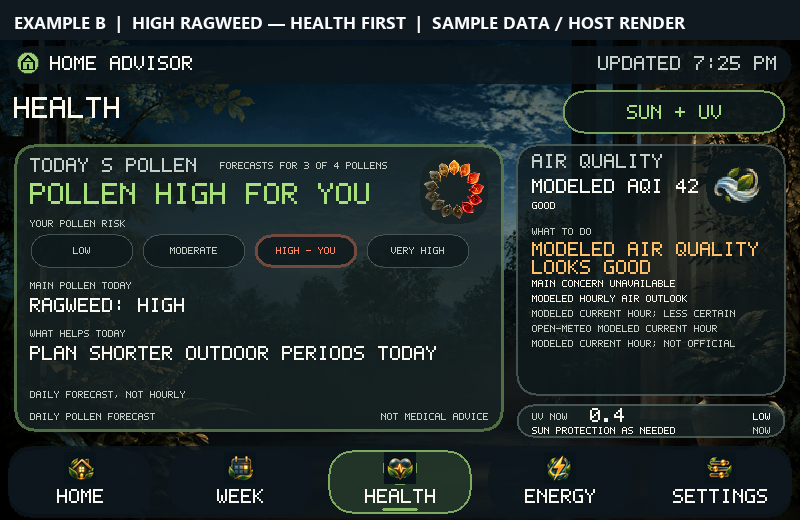
Example B Home: high selected ragweed and Keep Windows Closed guidance
Example B Home · same evening, health-first caution.
Example B Health: selected ragweed High in a daily forecast
Example B Health · selected ragweed High.
07 / No false benefit

Withhold the cooling estimate and make the caution visible.

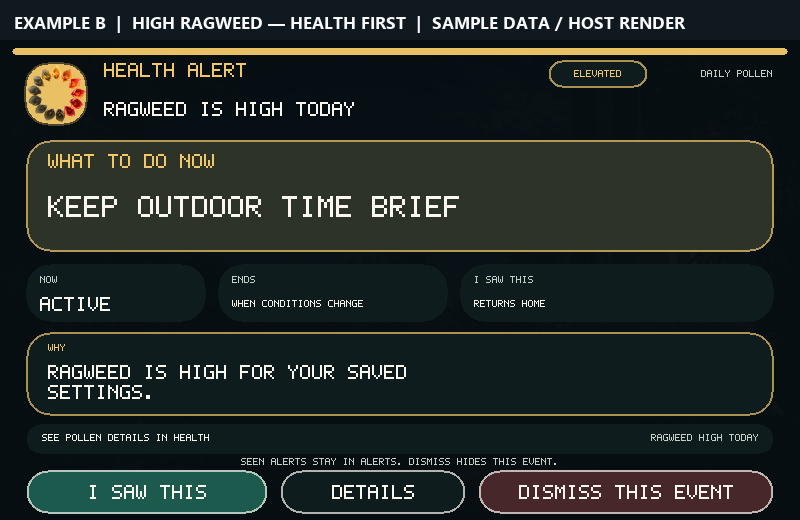
Energy withholds the open-window plan and savings estimate after the pollen check fails. The separate health alert makes the reason visible; “I saw this” acknowledges the message.
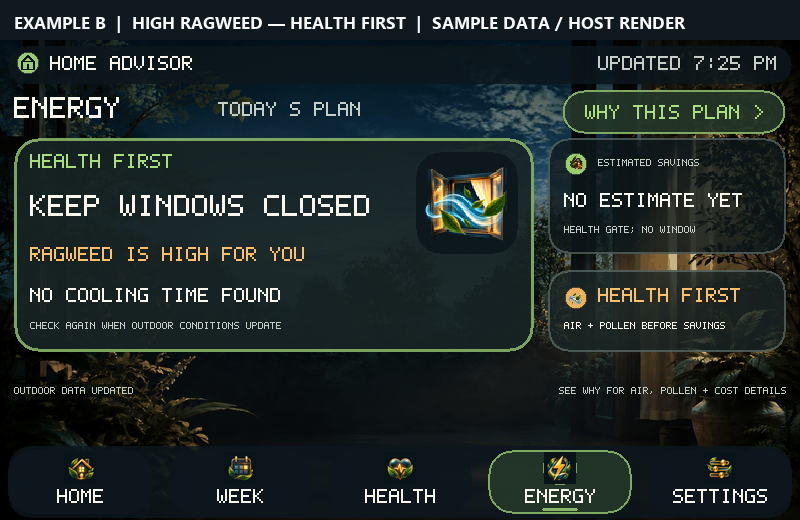
Example B Energy: Keep Windows Closed because of high ragweed, with no savings estimate
Example B Energy · no positive cooling action.
Example B visual health alert: high ragweed, keep outdoor time brief, with separate acknowledge and dismiss controls
Example B alert · acknowledgement is not action.
08 / Separate failure state

Unavailable is not a favorable reading.

This final frame is a different sample fixture—not what happened next in A or B. When current outdoor evidence cannot be verified, the screen offers no positive cooling advice.
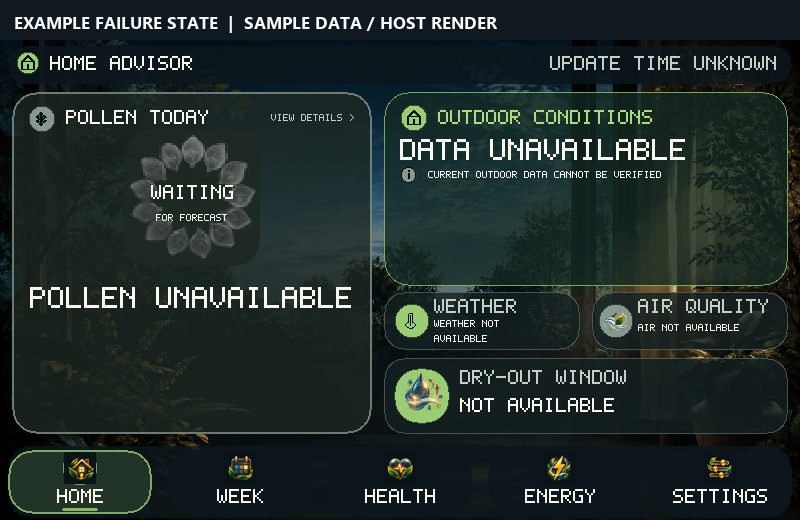
Separate failure-state Home screen: outdoor data unavailable, pollen unavailable, and no positive window guidance
Separate failure state · missing evidence is not safe evidence.
Complementary browser simulation

Choose a condition. Follow the “why.”

Switch between favorable and high-ragweed sample conditions, then explore the reasoning. Related design screens appear beside matching views.

Browser-only model

This browser demo uses fixed sample conditions. The owner-tested device remains pre-release; alert-history storage and physical offline-travel/reconnection checks are still open.