Air & window plan
Compare outdoor conditions and identify possible natural-cooling windows, with health checks considered before a recommendation.

Home Advisor is a pre-release home guidance project designed to bring weather, outdoor air, pollen, and energy context into one explained decision—so a promising cooling window does not hide a health reason to keep it closed.
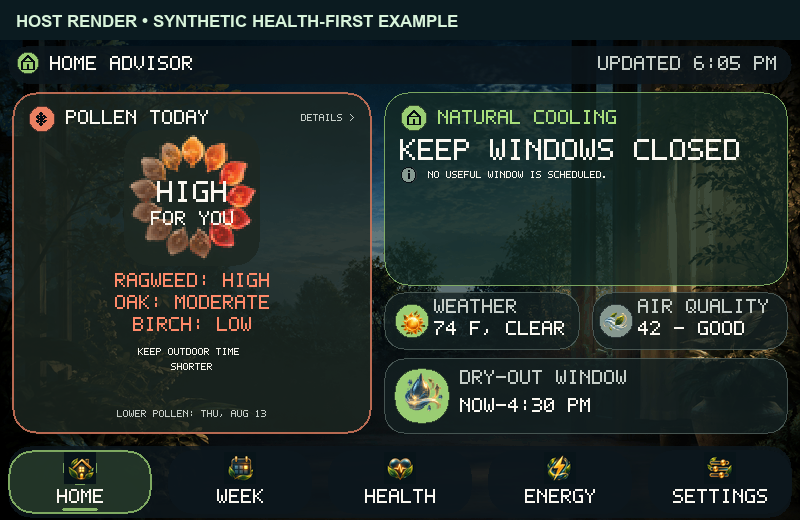
“It feels nice outside” is not the whole decision. Outdoor air can be cool while pollen is high; a short ventilation opportunity can change as a forecast ages. Home Advisor brings the relevant conditions together and shows why it suggests an action.
The appliance offers guidance rather than operating windows or HVAC. The website demo uses fixed sample conditions.
Compare outdoor conditions and identify possible natural-cooling windows, with health checks considered before a recommendation.
See daily pollen in relation to selected sensitivities, modeled air quality, and explicit unavailable states instead of treating missing data as “low.”
Understand the assumptions behind a potential savings estimate. It is a calculation based on owner-entered settings—not a measured reduction in utility use.
Browse a seven-day weather-oriented planner, weather-based mosquito likelihood, and a dry-out view based on outdoor air. Data horizons vary by source.
Earlier host-rendered examples compare the same sample evening with Low and High ragweed; the window advice changes with the health context.
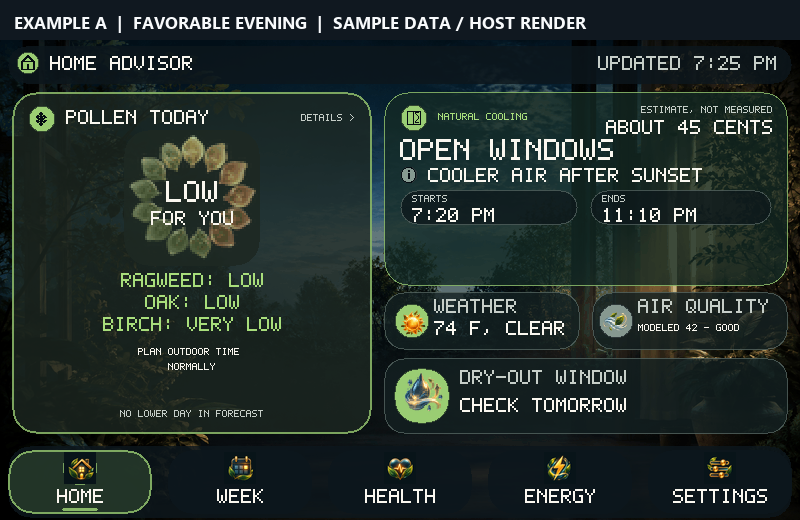
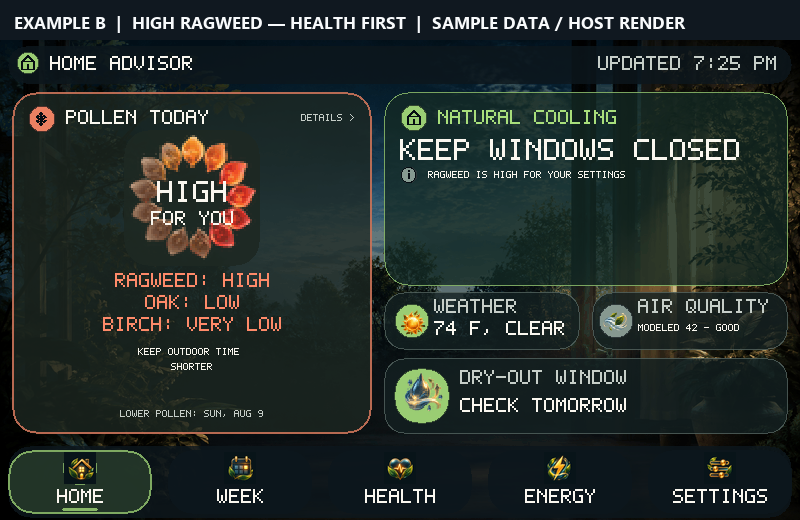
See how the interface weighs comfort, health, and the quality of the available information.
A household needs to weigh comfort, weather, outdoor air, and selected pollen before opening windows. A number-only dashboard can hide the caution that actually changes the answer.
Settings and decision logic run locally, while fresh forecasts still need public providers. Pollen is daily, the default AQI is modeled, and the device does not sense indoor air, window position, or HVAC activity.
The interface checks health and weather limits before estimating a cooling benefit, names the time window, reveals source freshness, and withholds positive advice when evidence is insufficient.
Home Advisor is an owner-tested pre-release touchscreen prototype. Weather appeared on the installed development build after its scheduled refresh, but full settings storage still blocks durable alert-history rewrites. Offline travel and reconnection remain to be verified on the physical device; no customer release is available.
Outdoor air may be cooler than inside, creating a possible natural-cooling period.
Pollen sensitivity, air quality, forecast freshness, and current weather can change that opportunity.
The recommendation explains whether to open, wait, or keep windows closed—and what information it used.
Home Advisor shows how ZeroHour Systems approaches applied software, interfaces, and real-world constraints. If your team has a decision-support or interactive-system challenge, we can talk through the work it would take to build it.